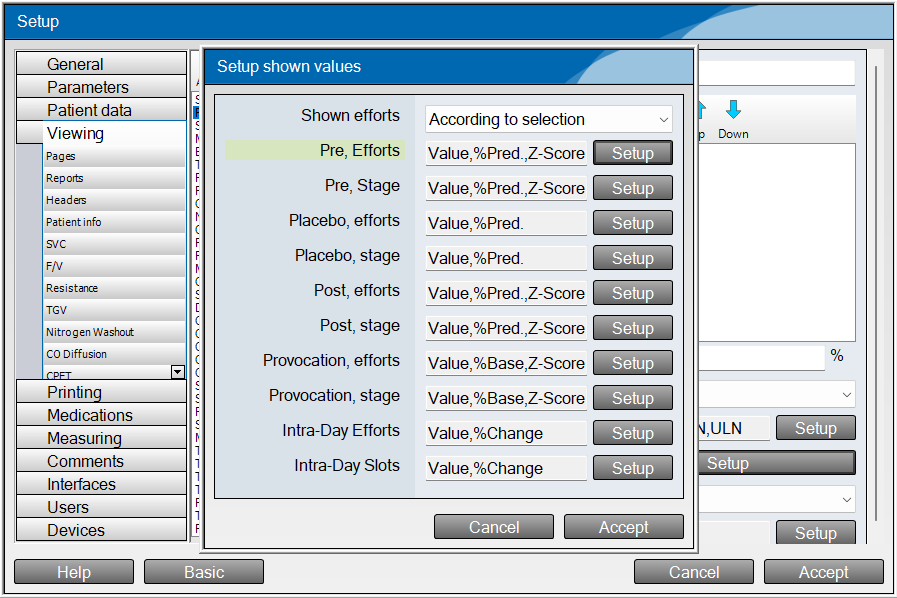
If you right click the table you want to add Z-Scores to, then click Open Setup: Tables, then advanced at the bottom left of the settings menu.
Then click on Data Rows - Setup, you can add Z Scores, to the different stages by clicking the setup button, then holding CTRL and selecting Z-Scores.
See below for reference:
Was this article helpful?
That’s Great!
Thank you for your feedback
Sorry! We couldn't be helpful
Thank you for your feedback
Feedback sent
We appreciate your effort and will try to fix the article